We built a competitive research agent last quarter that failed on 28% of production requests. The task was analysis: pull data from eight sources, synthesize findings, produce a structured report with citations. It worked in demos. At 80,000 tokens of source material plus message history, it ran out of context before finishing the read phase on longer topics.
That’s the failure mode that forces the conversation: split across multiple agents or keep trying to fit everything into one.
We’ve made this decision eight times now, across research tools, content pipelines, due diligence workflows, and data processing systems. Multi-agent architecture solved some problems cleanly and created new ones we hadn’t anticipated. This post covers what we’ve actually learned.
When a Single Agent Hits Its Ceiling
Four failure patterns reliably appear before teams decide to split:
Context overflow. Long-horizon tasks accumulate state. An agent that fetches 12 research documents, processes tool results across 30 iterations, and tracks intermediate findings can hit 100K+ tokens before completing. At that point, the model starts “forgetting” early results or producing inconsistent outputs. Even with 200K-token context windows, sustained multi-step tasks routinely exceed what a single agent can track reliably.
Sequential bottlenecks. If three independent analyses can run in parallel but your agent runs them one at a time, you’re paying triple the latency for no accuracy benefit. A financial analysis, technical assessment, and market review don’t depend on each other. Serializing them in one agent is a design choice that costs time.
Role conflicts. Models that need to plan, retrieve, and execute in the same context window make worse decisions than specialized agents for each role. Planning requires stepping back and thinking about structure. Retrieval requires deciding what information matters. Execution requires following specific instructions without deviation. Asking one model to alternate between these modes mid-context produces noticeably lower quality output.
Tool count ceiling. We’ve tested models across 5, 10, 20, and 35 available tools. Quality degrades somewhere between 15 and 20 tools on most tasks. Specializing agents means each one sees 4-6 relevant tools instead of the full library.
The research agent hit the first problem directly. Splitting it into a coordinator and three domain specialists, each with its own context window, eliminated the overflow errors.
Three Orchestration Patterns That Actually Work
Most production multi-agent systems use one of three patterns, or a combination.
Pattern 1: Pipeline (Sequential Hand-Offs)
Each agent receives input from the previous agent and passes output to the next. Predictable, debuggable, easy to test.
from langgraph.graph import StateGraph, END
from typing import TypedDict

class ContentPipelineState(TypedDict):
    topic: str
    outline: str
    research: str
    draft: str
    edited_draft: str

def planner(state: ContentPipelineState) -> dict:
    outline = planning_llm.invoke(
        f"Create a detailed outline for: {state['topic']}"
    )
    return {"outline": outline.content}

def researcher(state: ContentPipelineState) -> dict:
    research = research_llm.invoke(
        f"Research supporting data for this outline:\n{state['outline']}"
    )
    return {"research": research.content}

def writer(state: ContentPipelineState) -> dict:
    draft = writing_llm.invoke(
        f"Write a draft based on:\n"
        f"Outline: {state['outline']}\n"
        f"Research: {state['research']}"
    )
    return {"draft": draft.content}

def editor(state: ContentPipelineState) -> dict:
    edited = editing_llm.invoke(
        f"Edit for clarity and accuracy:\n{state['draft']}"
    )
    return {"edited_draft": edited.content}

# Each agent only sees what it needs
graph = StateGraph(ContentPipelineState)
graph.add_node("planner", planner)
graph.add_node("researcher", researcher)
graph.add_node("writer", writer)
graph.add_node("editor", editor)
graph.set_entry_point("planner")
graph.add_edge("planner", "researcher")
graph.add_edge("researcher", "writer")
graph.add_edge("writer", "editor")
graph.add_edge("editor", END)

pipeline = graph.compile()
We use this pattern for content generation, document processing, and any task where step N genuinely depends on step N-1. The debugging story is straightforward: add logging after each node and you can see exactly where quality degraded.
The failure mode: if any step fails, the entire pipeline stops. Build your retry and timeout logic at the pipeline level, not inside individual nodes.
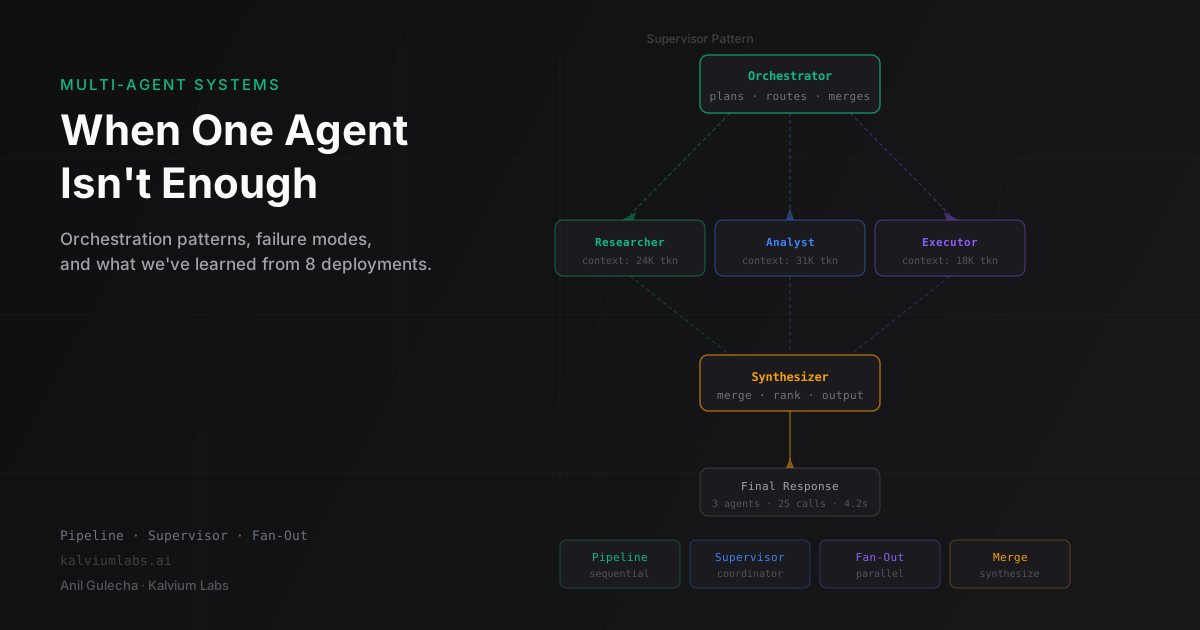
Pattern 2: Supervisor (Coordinator + Specialists)
A central coordinator agent decides which specialist to call and in what order. The specialists report back to the coordinator, which synthesizes results and decides what happens next.
from langgraph.graph import StateGraph, END
from typing import TypedDict, Literal

class SupervisorState(TypedDict):
    user_request: str
    task_plan: list[str]
    completed_tasks: list[dict]
    final_answer: str
    next_agent: str

AGENTS = ["data_analyst", "code_writer", "report_formatter"]

def supervisor(state: SupervisorState) -> dict:
    completed = state.get("completed_tasks", [])
    system_prompt = f"""You coordinate a team of specialists.
Available agents: {AGENTS}
Completed so far: {completed}
User request: {state['user_request']}

Decide which agent to call next, or output FINISH if done.
Format: {{"next": "agent_name" or "FINISH", "instruction": "what to do"}}"""

    decision = coordinator_llm.invoke(system_prompt)
    parsed = parse_json_response(decision.content)
    return {
        "next_agent": parsed["next"],
        "task_plan": state.get("task_plan", []) + [parsed.get("instruction", "")]
    }

def route_to_specialist(state: SupervisorState) -> str:
    if state["next_agent"] == "FINISH":
        return "finalize"
    return state["next_agent"]

graph = StateGraph(SupervisorState)
graph.add_node("supervisor", supervisor)
graph.add_node("data_analyst", run_data_analysis)
graph.add_node("code_writer", run_code_writing)
graph.add_node("report_formatter", run_report_formatting)
graph.add_node("finalize", generate_final_answer)
graph.set_entry_point("supervisor")
graph.add_conditional_edges("supervisor", route_to_specialist)
graph.add_edge("data_analyst", "supervisor")
graph.add_edge("code_writer", "supervisor")
graph.add_edge("report_formatter", "supervisor")
graph.add_edge("finalize", END)
The supervisor pattern is flexible but harder to reason about than a pipeline. The coordinator makes routing decisions dynamically, which means the execution path varies per request. Debugging requires logging every routing decision to understand why the system chose the agents it did.
We also hit a loop issue: coordinators will sometimes route to the same agent repeatedly when they’re uncertain. Add a hard iteration limit to the state and enforce it in the routing function.
Pattern 3: Parallel Fan-Out (Concurrent Execution)
Independent sub-tasks run concurrently, results merge when all complete. LangGraph’s Send API handles this cleanly:
from langgraph.graph import StateGraph, END
from langgraph.constants import Send
from typing import TypedDict, Annotated
from operator import add

class DueDiligenceState(TypedDict):
    company: str
    domains: list[str]
    # Annotated[list, add] means results from parallel branches get appended
    domain_reports: Annotated[list[dict], add]
    synthesis: str

def initialize(state: DueDiligenceState) -> dict:
    """Entry point node — pass-through before fan-out."""
    return {}

def route_to_analysts(state: DueDiligenceState) -> list[Send]:
    """Routing function: fan out to one analyst per domain, running concurrently."""
    return [
        Send("domain_analyst", {
            "company": state["company"],
            "domain": domain,
            "domain_reports": []  # fresh state per branch
        })
        for domain in state["domains"]
    ]

def domain_analyst(state: dict) -> dict:
    report = analyst_llm.invoke(
        f"Analyze {state['domain']} aspects of {state['company']}. "
        f"Be specific about risks and opportunities."
    )
    return {
        "domain_reports": [{"domain": state["domain"], "content": report.content}]
    }

def synthesize(state: DueDiligenceState) -> dict:
    reports_text = "\n\n".join(
        f"## {r['domain']}\n{r['content']}"
        for r in state["domain_reports"]
    )
    synthesis = synthesis_llm.invoke(
        f"Synthesize these domain analyses into an executive summary:\n\n{reports_text}"
    )
    return {"synthesis": synthesis.content}

graph = StateGraph(DueDiligenceState)
graph.add_node("initialize", initialize)  # must register before set_entry_point
graph.add_node("domain_analyst", domain_analyst)
graph.add_node("synthesize", synthesize)
graph.set_entry_point("initialize")

# route_to_analysts returns list[Send] — LangGraph fans out to concurrent domain_analyst branches
graph.add_conditional_edges("initialize", route_to_analysts)
graph.add_edge("domain_analyst", "synthesize")
graph.add_edge("synthesize", END)

app = graph.compile()

result = app.invoke({
    "company": "Acme Technologies",
    "domains": ["financial", "technical", "legal", "market"],
    "domain_reports": []
})
This cut latency from 4× sequential to about 1.3× for our research workflows. The 1.3× overhead comes from the merge step and the fact that the slowest branch sets the wall clock time.
One trap we hit: parallel branches that write to overlapping state keys create race conditions. The Annotated[list, add] pattern works correctly because the add operator is a clean merge. If branches write to the same key without a merge function, one branch’s result silently overwrites the other. We’ve seen this cause a bug where a 4-analyst system was quietly dropping two of the four reports. It only surfaced when someone checked the synthesis output against the source count.
Agent Communication: What Actually Moves Between Agents
Three approaches, with different trade-offs:
Shared typed state (LangGraph pattern): all agents read from and write to a single TypedDict. Straightforward to inspect, natural to persist with a checkpointer. The limitation is that the state grows as the workflow progresses, and all nodes have access to all state keys, which can cause unintended dependencies.
Direct chaining: one agent’s output becomes the next agent’s input directly, with no shared state object. Simpler to implement for linear pipelines, harder to add branching to later. We use this for simple two-agent systems where we don’t need checkpointing or resumption.
Message queues (Redis/Celery pattern): agents communicate via a queue and are independently deployed services. This is the right approach when agents need to scale independently or run across different machines. The complexity cost is significant: you’re now operating a distributed system with all the attendant problems (at-least-once delivery, dead letter queues, monitoring). We’ve built one system this way (for a content processing pipeline that needed to handle 500+ documents/hour) and wouldn’t go back to it lightly for anything smaller.
For most single-server deployments under 100 requests/hour, shared state with LangGraph is the right default. The message queue approach earns its complexity at scale.
The Hard Part: Failure Propagation Across Agent Boundaries
Failure handling in multi-agent systems is harder than in single-agent systems, and most teams underinvest in it.
In a five-agent pipeline, a timeout in agent 3 needs to be handled explicitly. What happens to the downstream agents waiting for that result? What gets logged? Can the workflow resume from agent 2’s checkpoint or does it restart from scratch?
Here’s the wrapper we use around LangGraph nodes that need timeout enforcement:
import asyncio
import logging
from functools import wraps

logger = logging.getLogger(__name__)

def with_timeout(timeout_seconds: int, fallback_fn=None):
    """Decorator that adds timeout and fallback to a node function."""
    def decorator(node_fn):
        @wraps(node_fn)
        async def wrapper(state):
            try:
                result = await asyncio.wait_for(
                    asyncio.to_thread(node_fn, state),
                    timeout=timeout_seconds
                )
                return result
            except asyncio.TimeoutError:
                logger.warning(
                    "node_timeout",
                    extra={"node": node_fn.__name__, "timeout": timeout_seconds}
                )
                if fallback_fn:
                    return fallback_fn(state)
                # Mark as failed in state so downstream agents can check
                return {"agent_errors": [f"{node_fn.__name__} timed out"]}
        return wrapper
    return decorator

@with_timeout(timeout_seconds=45, fallback_fn=lambda s: {"research": "Insufficient data"})
def researcher(state: PipelineState) -> dict:
    # research logic
    ...
The fallback_fn is the important decision point. For some agents, a timeout means “skip this step and continue with partial results.” For others, it means “abort the entire workflow.” You need to make this call per node, per system.
The second problem: cost explosions. Each agent in a multi-agent system makes its own LLM calls. A supervisor that routes to three specialists, each running for 10 iterations, can generate 40+ LLM calls for one user request. We cap calls at the state level:
class BudgetedState(TypedDict):
    llm_calls_made: int
    llm_call_limit: int
    ...

def check_budget(state: BudgetedState) -> str:
    if state["llm_calls_made"] >= state["llm_call_limit"]:
        return "finalize_early"
    return "continue"
Set the limit before each run based on the task complexity. For our research system, the limit is 25 calls. The 28th request I mentioned at the start of this post used 67 calls before timing out.
What We Learned That Didn’t Make It Into the Architecture Docs
Coordinator LLMs get confused with long completed-task lists. By turn 8 in a supervisor pattern, the “completed tasks” context can be 3,000 tokens. The coordinator starts making routing decisions based on what it read recently in the context window rather than what would actually help. We now summarize completed tasks every 4 turns: “summarized: financial and technical analysis complete, both showed above-average risk in Q4 cash flow.”
The merge step is where quality dies. Synthesis after parallel fan-out is harder than it looks. If the financial analyst returns 800 words and the market analyst returns 200 words, the synthesis tends to over-index on the more detailed input. We now explicitly instruct the synthesis agent to weight inputs equally and note when one domain was under-researched. Still not perfect.
Streaming multi-agent output to users is genuinely difficult. Users expect to see progress. A 30-second workflow that shows nothing until it’s done feels broken. Streaming intermediate state (“Agent 2 of 4 complete: research phase done”) requires explicit state publishing from each node, WebSocket infrastructure, and client-side display logic. We’ve built this twice and rebuilt it once after the client-side handling was too fragile. It’s a significant engineering surface area for a quality-of-life feature.
When to Not Use Multi-Agent
The honest answer: most of the time.
Single agents with well-scoped tool calling handle 70-80% of what startups actually need from agentic AI. The bar for multi-agent should be one of the specific failure modes from the first section, not “we want it to feel more intelligent” or “the architecture diagram looked impressive.”
Multi-agent adds:
- Debugging complexity (which agent generated that output?)
- Cost (multiple LLM calls per user request)
- Latency (orchestration overhead + parallel execution constraints)
- State management surface area (more things that can go wrong with serialization)
We’ve built four single-agent systems this quarter and two multi-agent systems. The single-agent systems shipped in less time, cost less to run, and have had fewer production incidents. The multi-agent systems solved problems that genuinely couldn’t be solved without them.
The test we run before splitting: “Can a single agent with access to all the tools and a well-written system prompt do this adequately?” If yes, stop there. If the task genuinely needs parallel execution, separate context windows, or specialized roles, then the complexity is justified.
What We Still Don’t Have a Good Answer For
Agent-to-agent evaluation. In theory, you can have one agent evaluate another’s output before passing it downstream. In practice, we’ve found that LLM-as-judge at the agent boundary is inconsistently calibrated. The judge tends to be too lenient on outputs from agents using the same base model family, and too critical on outputs from different model families. We use deterministic checks (output format validation, citation existence checks, length constraints) instead of LLM evaluation at agent boundaries.
Shared memory across long-running multi-agent sessions. If users interact with a multi-agent system over days or weeks, what should persist? Full message history is too long. Summaries lose detail. We’ve tried embedding-based retrieval of relevant past context, but choosing what’s “relevant” without knowing the current task turns out to be hard. This is still an open design problem on two of our active projects.
FAQ
When should I use a multi-agent system instead of a single agent with more tools?
Split when you hit one of these: context overflow on long tasks, sequential bottlenecks on tasks that could parallelize, or role conflicts where one agent needs to simultaneously plan and execute. If none of these apply, don’t split. A single agent is cheaper to build, easier to debug, and has lower operational overhead. We’ve seen teams add multi-agent complexity to solve problems that a better system prompt and a 45-second timeout would have fixed.
How much more expensive is a multi-agent system vs a single agent?
Typically 3-10x the LLM cost per user request, depending on how many agents run and how many turns each takes. A 5-agent system where each agent averages 5 LLM calls costs 25x a single-shot completion on the same input. The cost is worth it when multi-agent enables something the single agent couldn’t do (parallel execution, separate context windows). It’s not worth it when multi-agent just adds structure without enabling new capabilities.
What’s the right framework for building multi-agent systems in Python?
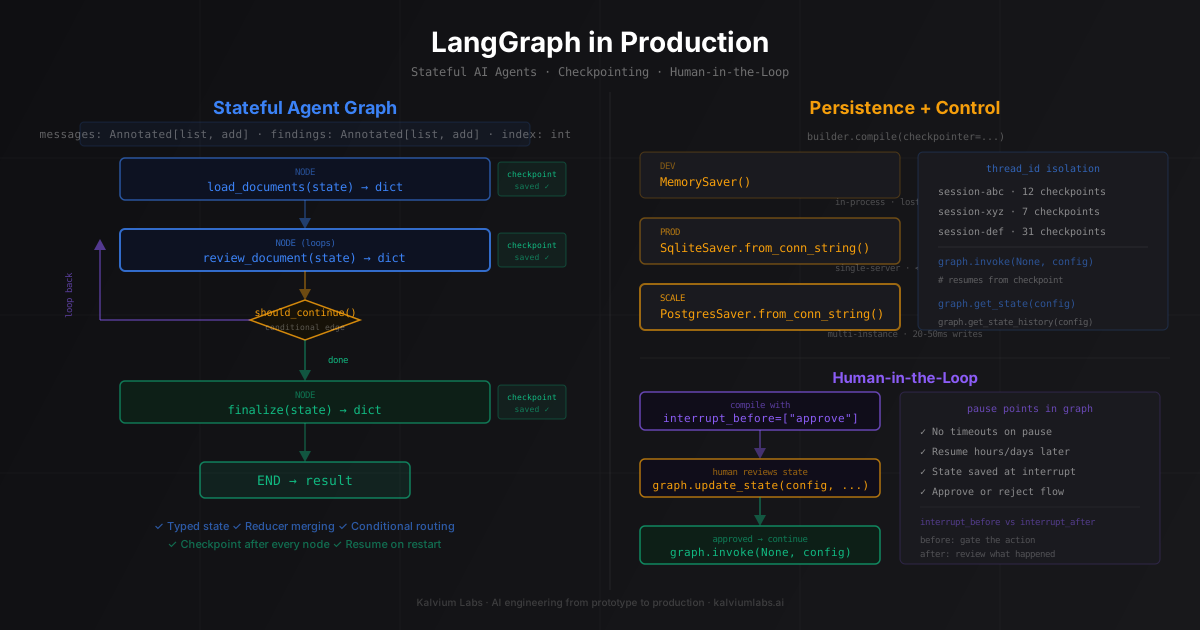
LangGraph for most cases: good state management, first-class human-in-the-loop support, solid checkpointing with Postgres. AutoGen if you specifically need conversational multi-agent patterns where agents talk to each other rather than being orchestrated. Custom Python loops if you need fine-grained observability and LangGraph’s abstractions are getting in the way. We covered the LangGraph vs LangChain decision in detail in a prior post if that comparison is useful.
How do I debug a multi-agent workflow when something goes wrong?
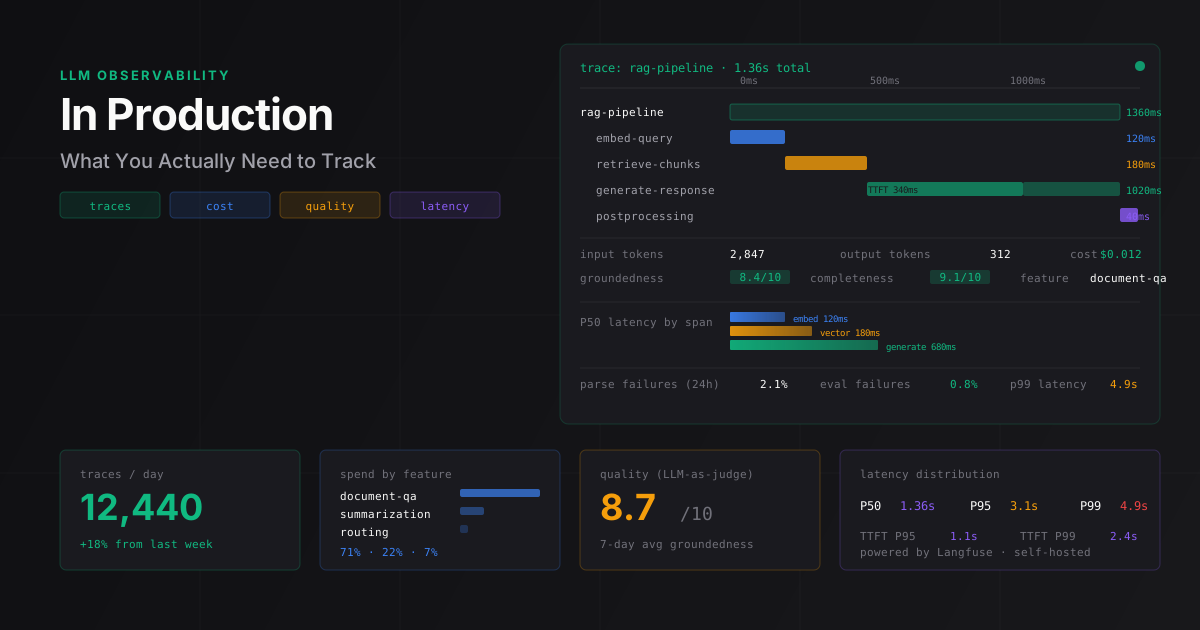
Log at every agent boundary: what state came in, what state went out, how long it took, how many tokens it used. With LangGraph, use app.get_state() to inspect checkpoint state after a failure. Tag every LLM call with the agent name so you can trace cost and latency per agent in your monitoring. The single most useful thing: add an agent_errors list to your state type and have every node write to it on failure rather than raising immediately. Downstream nodes can then check for upstream errors and handle them explicitly.
How do you handle partial failures in a pipeline where one agent times out?
It depends on whether the downstream agents need that output. For optional enrichment agents (agents that add detail but aren’t required for the core task), return a sentinel value and let downstream agents handle the missing input. For required pipeline steps, abort and return an error response rather than producing low-quality output from partial data. Never silently drop a failure and continue, because the final output will look complete but the user has no way to know that a step was skipped.
If you’re working through whether a multi-agent architecture makes sense for a specific problem, we’re willing to look at it. Book a 30-minute technical call and bring the task description. We’ll tell you honestly whether one agent or many is the right call.